What is the Parent Portal?
 Updated
by
Emily Mahony
Updated
by
Emily Mahony
As a parent, you can find out about your child’s learning on Purple Mash and support them beyond the classroom by registering with Parent Portal. Parent Portal allows you to easily see the learning your child has been doing on Purple Mash, including any comments on work from teachers, homework (2Dos), rewards and so much more.
Once signed up you will never miss out on being informed of your child’s learning as Parent Portal sends all registered users a weekly digest email.
An example Parent Portal layout and a summary of its main features can be seen below:
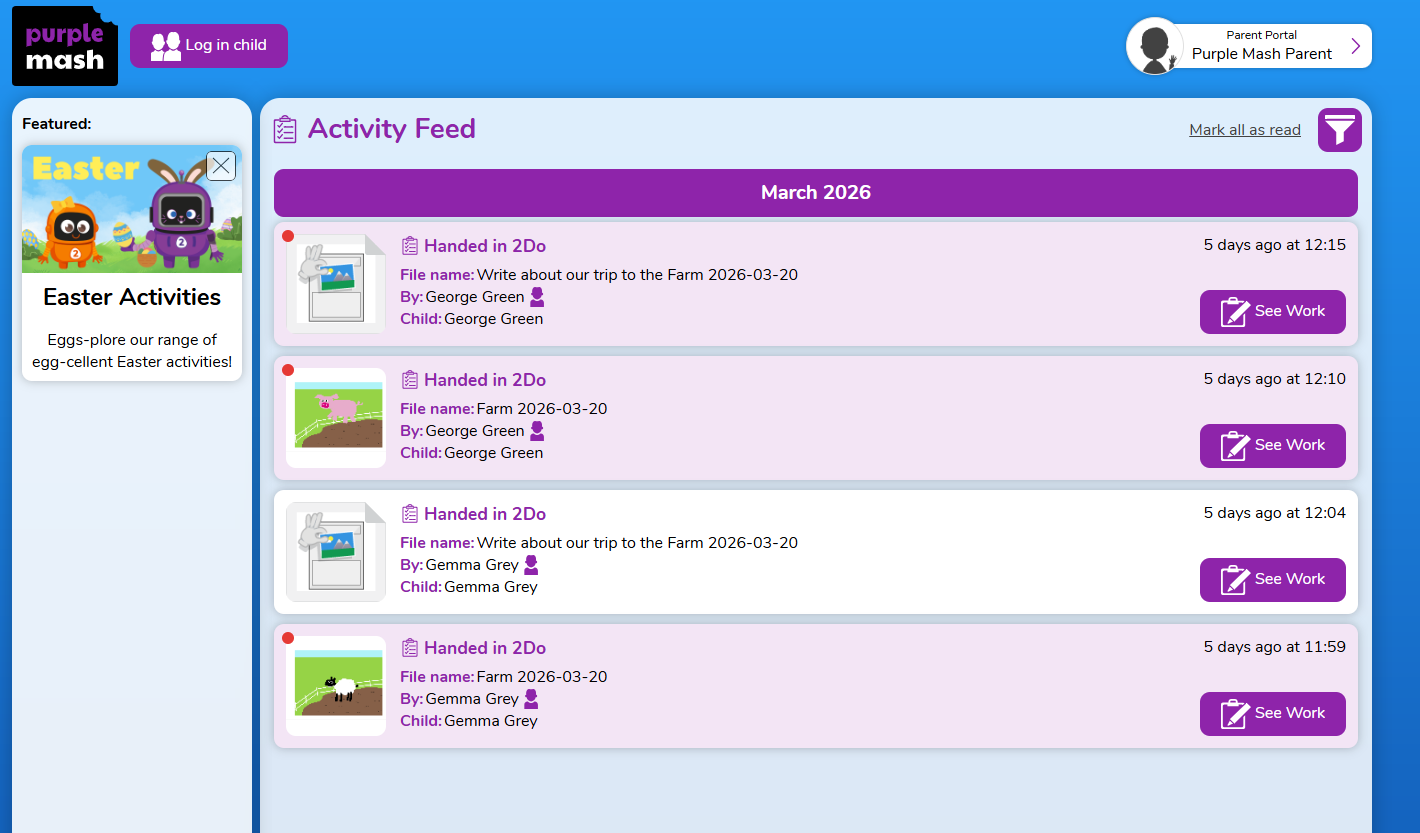
Activity Feed | 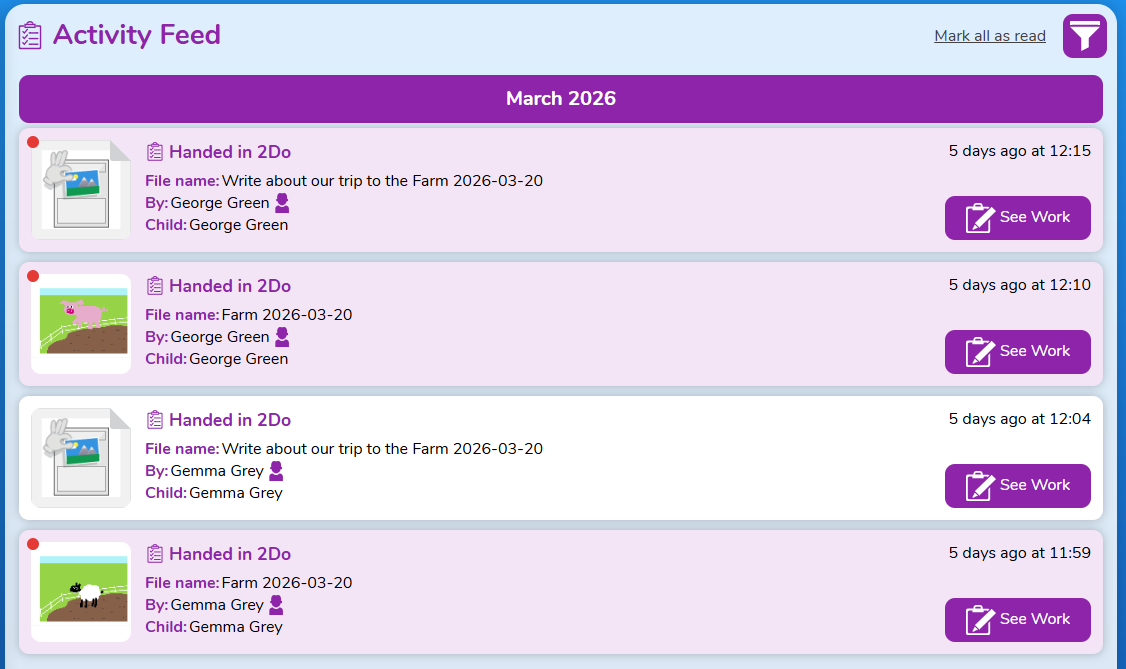 The Activity feed shows all the activities associated with a child, with most recent showing first and organised by month. Activity Stream shows: 2Dos set and handed in, approved work for display boards or blogs, rewards given, shared work and commented work. To view any of the work, click the see work button. |
Featured Panel | 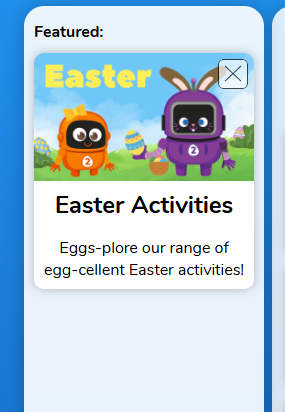 The featured panel will show you any featured activities that your child can do in Purple Mash. These are usually seasonal activities. |
Help | 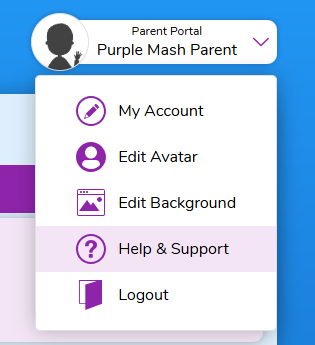 To get any help with using the parent portal you can find our help area by clicking on your avatar icon then select help and support. |
My Account | 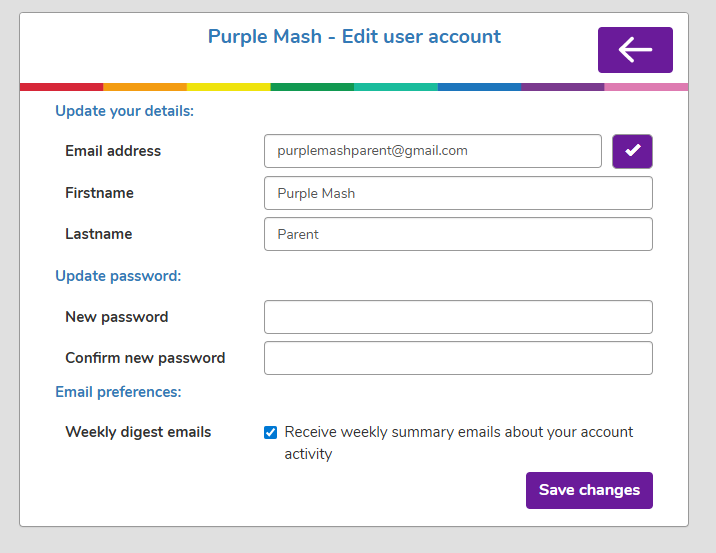 To access your account, click your avatar icon then click on the My Account button. You can update your details here and choose to opt in or out of 'Weekly Digest Emails'. Weekly Digest Emails provide you with a breakdown of activities your child/children have been involved in. These emails are sent to the email address used to register for Parent Portal. |
Access Pupil View | 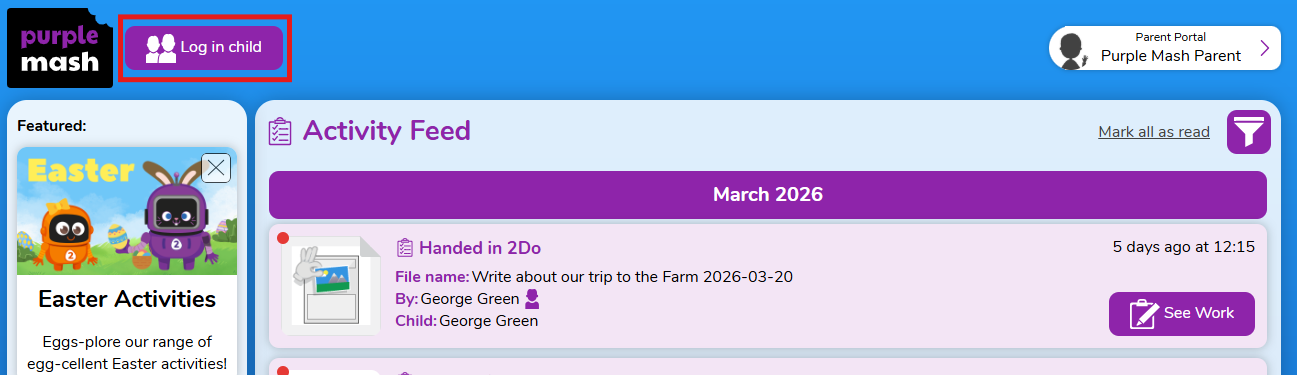 If enabled by the school, you will be able to access your child's account without needing their password. To do this click the Log in child button on the top of the Parent Portal page. Access Pupil View is a useful way to access the pupils account if they have lost their username and password. |
